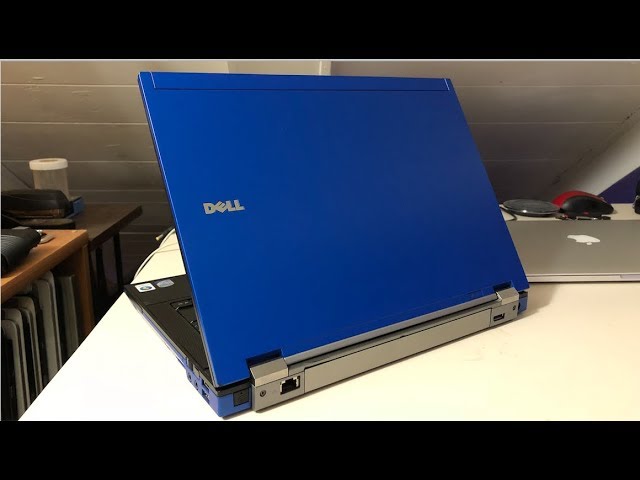
The Dell Latitude E6400 was released in 2007 in a variety of configurations. Compared to recent hardware, this business laptop computer is far less capable, but Linux Driver support is still very good. It is equipped with Core 2 Duo processor, wireless card, 8 Gig RAM maximum, and was available in either an integrated Intel Graphics or the Nvidia Quadro discrete video capability. The Dell native WXGA screen resolution of 1440×900 pixel for the E6400 provides for a very nice display for the 14.1 inch screen size. The Nvidia Quadro was the obvious choice for improved graphics detail and speed.
The Linux Kernel development cycle has recently omitted support for the Quadro chips resulting in the use of Nouveau Nvidia Open Source driver when installing a current Linux Distribution. My experience, using this driver with the Quadro NVS 160M, has been buggy at best to completely locking up the computer at worst.
Not all is lost however. The Quadro NVS 160M is a popular graphics chip. Although the mainline 5.15 Kernel has dropped support, there are work arounds provided by the Open Source Community to re-enable the use of the Nvidia 340.108 legacy driver in the newer kernel. At least for the time being.
I have been running the KDE Neon distribution for at least a year or two. The system still had traces of kernel versions 5.4 and above through the various upgrades. I have cleaned up the system kernels over time, but the cleanup was not complete. Once the Ubuntu 22.04 | kernel 5.15 upgrade came along for the KDE Neon, I installed it and basically broke the video subsystem with the Nouveau Driver. The system would boot and log in, but the moment I opened Firefox, the computer would hard lock. I could not pin point the exact problem. I then tried to install the Nvidia 340 driver, which resulted in a black screen on reboot. So I came to a point of understanding. The E6400 would not run current software and I was about to retire the computer.
A refresh helped! Instead of retiring the computer, I backed up the home directory and installed the most recent version of KDE Neon that included the Ubuntu 22.04 upgrade. I did not waste time with the Nouveau driver. I logged into the computer and immediately installed the nvidia-legacy workaround driver. Now we are getting somewhere! After days of troubleshooting the aftermath of upgrading the old system, this new install with the nvidia-legacy install process of less than 30 minutes, flawlessly. I was truly astounded.
For the time being, the Dell Latitude E6400 with Nvidia Quadro NVS 160M is running once again thanks to some clever development from the Community.
Installing the Nvidia-legacy driver is simple. Add the repository and run the following command:
sudo apt install xorg-modulepath-fix
This will apply the proper Xorg file updates and install the 340.108 legacy driver.
KDE Neon Install: https://neon.kde.org/
Nvidia-Legacy Install: https://launchpad.net/~kelebek333/+archive/ubuntu/nvidia-legacy
Happy Linux Computing once again with my beloved Dell Blue Latitude E6400.
