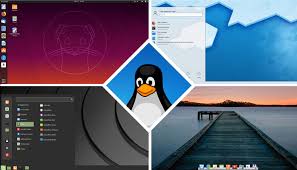
Linux Distro, rather linux distribution, is a term that defines various packaged, installable Linux Operating Systems, typically in ISO format. They are usually bootable and offer a Live environment to test drive before installing the OS.
A popular website called Distrowatch.com, for many years, have tracked most of the popular distros over time. The site offers some reviews and Linux news in general, but more importantly, a list of 100 top distros listed in order of downloads per day. This is a good place for beginners to learn what is popular, what the distors offer in terms of Linux origin such as Debian, Ubuntu and so on. More details abound about the desktop offered for each distro and the applications contained. To this day, I have an occasional look-see on the site to see what distro make the Top Ten, or 20 something.
A word about distros, then I will talk about how I arrived at my current choice, KDE Neon.
Any development team, small group of Devs, individuals, foreign and domestic can create and package a “distro” and post it for download and install. There are specialized distros that meet a certain need such a penetration testing, internet privacy, desktop oriented, easy of switching from Windows and so on. Some are called “lightweight” meaning its a very small package that uses very little compute resources. There is even a Ham Radio focused distro that is loaded with radio applications. If a specific use case can be thought of, a distro is out there that meets the need. The overload of specificity can seem overwhelming when choosing a distro, and the choice is yours. The majority of seasoned Linux users know that any base OS install can be just as flexible as any distro. The advantage of specific distros is the turnkey approach to meet a need. The con of a specific distro is that is can lack included software to make it useful in other ways, depending on how the distro was created. With that said, I will briefly describe my distribution journey.
The year was 1995, or so. I had Windows 95 on the desktop and then NT 4.0 Workstation. My job exposed me to Linux around this time, but it was nothing more than a MSDOS comparison, meaning no GUI, no applications, basically and installed kernel on some computer. Several years later, about the 1999 time, I bought my first commercially packaged distribution on 4 CDs, called Red Hat. It was dreadful, hard to install, no driver support, no instructions. I banged my head against the computer for a long time and simply forgot about Linux for a long time.
Over the years, I tried different distributions. The reason for that was that the internet was maturing and Linux was easily found online and support forums created. Good, now I am installing better distros, but it was sort of – “this will never replace Windows” sort of thing. I ran through a plethora of distros and was never completely satisfied. The waning interest came down to a lack of good applications to run on the Linux Desktop and almost no support for printing and scanning, top requirements for any office computer.
Then I found Distrowatch. With that I found several distros that keep me coming back to the trough. Talk to anyone today, and they will tell you, install Linux Mint! A popular distribution based on Ubuntu for years. Then there is openSUSE, a distro tweaked for SysAdmins, but its based on Red Hat. For Desktops Environments, the more polished version are Gnome, KDE and Linux Mint’s proprietary Cinnamon Desktop. So the choice for me become the Linux base and what desktop I wanted.
Linux Base Debian/Ubuntu by far is the most popular base. Online support is far and wide and this base is under constant development. Under the hood, its easy to use, the command line makes sense, and coupled with a good DE (desktop environment) its hard to beat.
Linux Base Arch/Red Hat has a fierce following. This is the hard core side of Linux. openSUSE is in this realm and many others. The applications are getting better and support forums do exist, but no where near Debian. The DE selection are the same however.
When I am using a DE, my eyes have to be satisfied and the DE has to be configurable. After all, looking at a 30 inch high resolution screen, why would a person not want complete eye candy! Hands down, only three DE even come close to offering a good DE experience. Gnome 3 is a start. Cinnamon DE is next and KDE is at the top of the stack. You will have to use each one for a period of time to determine if a DE offers all you need.
I have used Linux Mint and openSUSE. Each was good, but they were produced specifically for new users or SysAdmins respectively. I would choose openSUSE over Mint any day, but since SUSE is based on Red Hat, applications are limited. Its not an office desktop to be sure, but rock solid and look sweet in KDE DE attire. Linux Mint is Linux Mint. There is no innovation. The Cinnamon DE continues to develop, but its bland, limited in configuration and feels as if its a locked down platform. This is sad, because in the not too distant past, Linux Mint offered a KDE DE version, but have since discarded that option. That said, I do spin up Linux Mint in VMs to test, Its still a rock solid Linux distro although it does not meet my needs.
By now the KDE DE and Ubuntu points have been made. This is a combination of excellent KDE Plasma DE that rides on top of an Ubuntu, Debian based Linux kernel. The eye candy, versatility, configuration options, application availability, printing and scanning support, forum support, rock solid kernel, its all there. Sure, there are still gaps for this DE, but it has evolved to a point to where I have considered to not upgrade to Windows 11 and go Full-On Linux Desktop. And I will do this with a distro called KDE Neon. I have used this distro enough installed on laptops and VMs to develop an application set that can replace what I currently do under Windows. In my opinion, its leaps and bounds better refined over Linux Mint and other Arch based distros.
Give it a test drive. you can find it here in this link:
