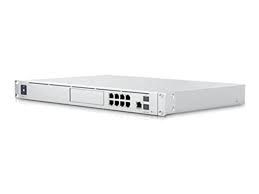
This is Part 3 and final post for the UDM SE Network Upgrade. I am peeling off the pfSense external router deployment away from this post and save for another day. That could be a full time subject on its own.
I am not a network purist and for me common sense prevails over a potential complex deployment for home use. I had grand designs on creating VLANS that would stifle a hacker, choose addresses that confound everyday thinking. But what I found was human nature and everyday logic prevailed. My old network layout worked fine, except for a lack of VLAN routing FW rules for the IoT devices, of which I have the stunning device count of SEVEN devices. Yes I have a VLAN block of /24 for few devices that no hacker would care about, but we still have to isolate them because they are cloud connected to Google, Nest, Amazon, Samsung, etc. I will likely reduce the netmask to about 10 hosts and move on.
Once I came back from The Cloud trying to engineer a completely new solution that was going to confuse me, I also realized that I have many devices that I just did not want to have to reconfigure and troubleshoot, one by one. It could be said that I put no forethought into future network when I brought Home Assistant into the mix, and the wired/wireless networking required of the peripheral devices. Fortunately, just about all of the devices that are integrated with Home Assistant are not cloud based. They function on their own once configured. So I put them on a trusted VLAN just to separate the traffic.
In general, the Wireless SSIDs remained the same for ease of device auto-migration. I did change the VLAN scheme on the back end and most old hosts and devices dont care as long as they obtain an IP address.
The only item that I want to address after the fact is changing the default VLAN Unifi desires out of the box, putting the APs, switches and the router itself on something other than Default. I have already concluded that some FW rules would be more easily utilized if that were the case, but its not a show stopper. The day-job comes first for me and Wife, and a solid network, upgraded/deployed rapidly was required at the time due to failing hardware. Add to the fact that my network is currently double-NAT’ed with another layer of resistance, I am confident knowing that we can run this way for a short time, and monitor the IDS/IPS logs. I have a single port 443 open to a reverse proxy for this blog, and network scanners do know about it.
So in conclusion, the upgrade/migration was smooth overall. I do have work to do in FW rules VLANS and perhaps move a few devices into other VLANS. The measure of risk of allowing the network to run as-is remains low, but is not an excuse to continue to run it as-is. My thoughts are as I plan out the pfSense project, I will certainly make the core network changes before pfSense front-ends my network. I am not a network engineer/purist, but as I continue to learn, its is obvious to me that best practices add layers of protection that should be implemented without a second thought.
